Calendar & Reminders integration
Works with the schedule you already have.
Connect your existing calendars and reminders. Choose the commitments that matter, and Hard Stops turns them into alerts that are much harder to miss.
For the things that cannot wait
Your calendar knows when something starts. Hard Stops makes sure you notice—and move—before the moment passes.
⌖ JFK Terminal 5
A clear signal. A simple decision.
The promise
Calendars record your schedule.
Hard Stops changes your direction.
One stop. Every screen.
A full-screen takeover on Mac and alarm-level alerts on iPhone and Apple Watch make the next move unmistakable—wherever your day takes you.
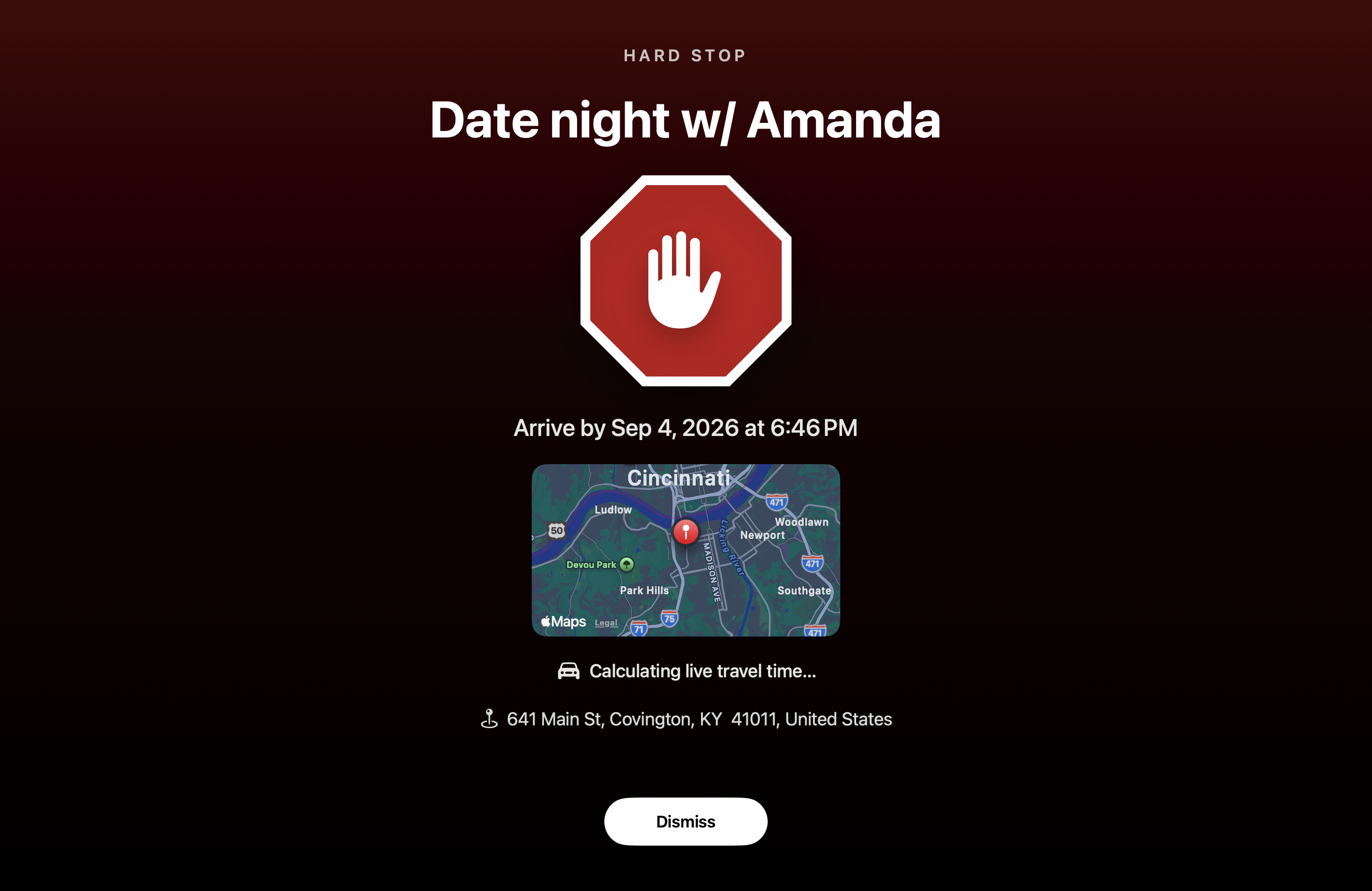
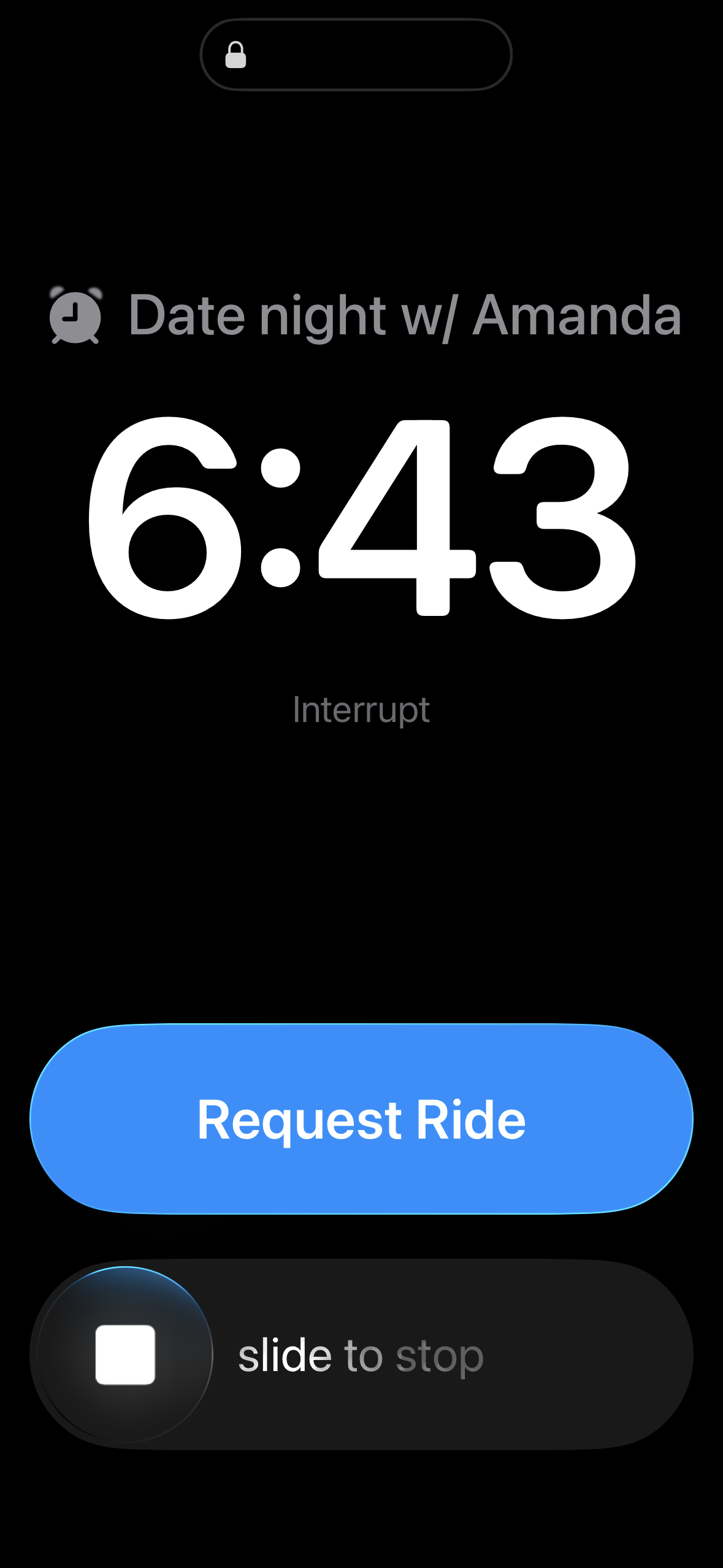 Hard Stops
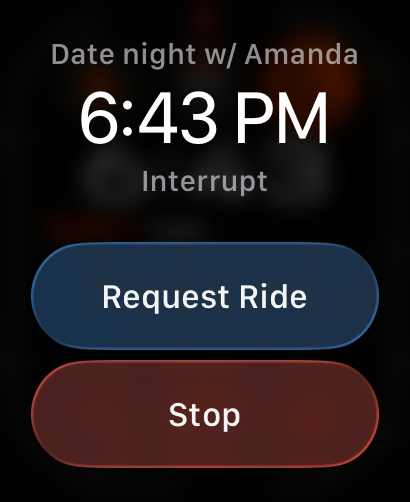 Hard Stops
Made to get through
Built for people whose ordinary notifications have become easy to miss, dismiss, or forget.
Calendar & Reminders integration
Connect your existing calendars and reminders. Choose the commitments that matter, and Hard Stops turns them into alerts that are much harder to miss.
Full-screen takeovers on Mac and unmistakable notifications on iPhone give important commitments the attention they deserve.
Add a destination and buffer time so a deadline becomes a practical leave-by plan—not just another event on a calendar.
Create recurring or one-time Hard Stops and keep them in sync across your Mac and iPhone with private iCloud storage.
Choose a distinct sound for the moments that matter, then act right from the notification: done, snooze, or open Maps.
For real life
Not every event is urgent. Mark the ones that are, and let Hard Stops protect them from the rest of your day.
The school pickup that cannot slip
The meeting you need to leave for now
The flight that starts with getting out the door
The appointment buried in a busy afternoon
Three steps. Then go.
Use your existing calendars and reminders—or create a Hard Stop directly.
Destination, buffer, and sound.
When it appears, it’s time.
Hard Stops by Good Time Only
Coming soon for Mac and iPhone.